SIM Card and Internet Connectivity in India for Medical Tourists: A Practical Guide

Staying connected during a medical trip to India matters more than most patients anticipate. You need to reach family back home, communicate with your hospital coordinator, access test results on hospital portals, use map apps to navigate a new city, and potentially do telemedicine check-ins. Arriving without a working local SIM — or arriving with one that won't activate for 24 hours because you got the wrong provider — creates unnecessary friction at exactly the moment you need everything to be simple.
TL;DR: Get an Airtel or Jio tourist SIM at the airport on arrival — both have counters at Delhi IGI, Mumbai CSIA, and Chennai MAA. Activation takes 2–4 hours. Tourist plans with 1.5–2 GB daily data cost INR 300–600 (approximately USD 4–7) for 28 days (TRAI Report, 2024). Hospital WiFi is available for patients and companions at all major JCI-accredited facilities.
Getting a SIM Card on Arrival in India
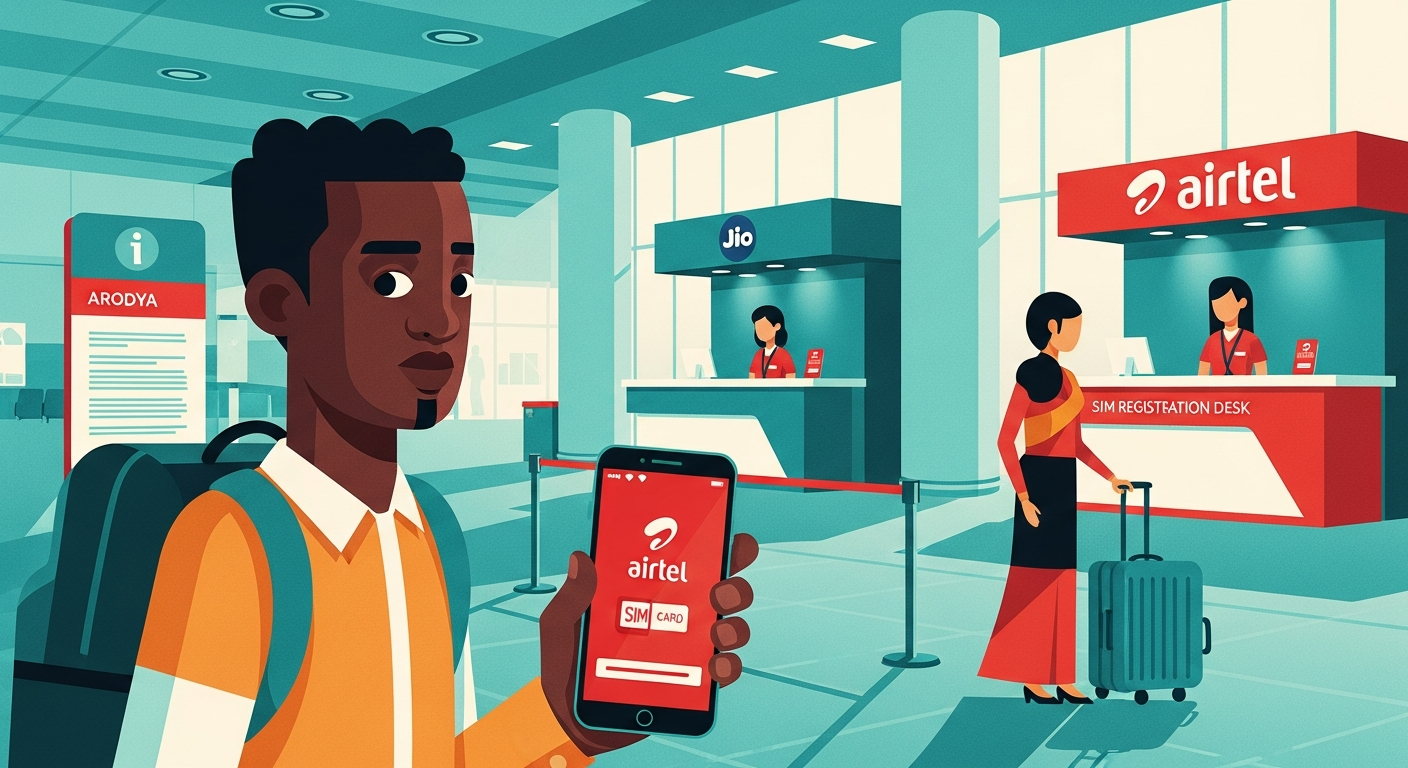
India requires mandatory SIM registration — you cannot activate a SIM without submitting your passport and visa documents to the network provider. This is done at the counter; it takes 10–15 minutes and you receive the SIM immediately, though activation (network connectivity) typically takes 2–4 hours from submission.
Airport counters: All major Indian international airports have Airtel, Jio, and Vi (Vodafone Idea) counters in the arrivals hall, usually before passport control or immediately after. Counters are staffed 24 hours for the major networks at Delhi and Mumbai.
What to bring: Passport (original), Indian visa, and one passport-size photo (or the counter staff will take a digital photo with their device).
Which network to choose:
- Airtel — Best overall coverage and data speeds in urban areas near major hospitals. Reliable 4G/5G in Delhi NCR, Mumbai, Chennai, Bangalore. Staff at airport counters tend to be helpful with tourist plan selection.
- Jio — Competitive pricing, excellent 4G coverage in major cities, slightly variable in semi-urban areas. The Jio tourist plan offers good value.
- Vi (Vodafone Idea) — Declining network quality relative to Airtel and Jio; some coverage gaps even in cities. Less recommended unless specifically advised.
For a typical 3–4 week stay, the 28-day INR 300–600 tourist plan with 1.5–2 GB daily data is more than sufficient for messaging, video calls, map navigation, and accessing hospital portals.
eSIM: The Better Option If Your Phone Supports It
If your phone is eSIM-compatible and unlocked, Airtel's international eSIM is worth considering. You can purchase and activate it online before departing from home, meaning you're connected from the moment your phone picks up an Indian tower — no counter queues, no waiting for physical SIM activation.
To check eSIM eligibility: most recent-generation iPhones (XS and later), Samsung Galaxy S series (S20 and later), and Google Pixel 3 and later support eSIM. Your phone must be unlocked (not tied to a home country carrier) to use an international eSIM.
Airtel's eSIM tourist plans are available through the Airtel website and select travel SIM aggregators. Jio also offers eSIM but with a more complex activation process for foreign visitors.
Hospital WiFi: What to Expect
All JCI-accredited Indian hospitals provide WiFi for inpatients and their companions. A few practical realities:
Password access: Ask your floor nurse or ward coordinator for the current WiFi password. It often changes periodically. Some hospitals use a patient-portal login to access WiFi — your coordinator can help set this up.
Signal quality: Reliable in most private patient rooms and waiting areas. Weaker in basement diagnostic areas, car parks, and older building wings. For consistent connectivity, a local SIM remains the most reliable option.
Speed: Adequate for WhatsApp, video calls, and accessing electronic records. Not always suitable for large file uploads or streaming.
Video calls: Hospital WiFi generally supports WhatsApp video and Zoom well enough for family calls and telemedicine appointments. Test before your first scheduled call and use your SIM data as backup.
For context on the broader logistics of managing your India stay, see our first-timer's guide to travelling to India for treatment.
International Roaming: Usually Not Worth It
Most African mobile carriers charge USD 5–15 per day for international roaming in India, or high per-MB rates that make extended use prohibitively expensive. Roaming is a reasonable fallback for the first few hours of arrival, but should not be your primary connectivity strategy for a 2–4 week stay. The math is simple: an Indian tourist SIM costs USD 4–7 for 28 days; roaming for 28 days typically costs USD 140–420.
Turn roaming on for arrival, get the local SIM activated, then turn roaming off.
Useful Apps to Download Before You Travel
These are worth installing before departure when you have reliable home WiFi:
- Google Maps — Download Delhi/Mumbai/Chennai offline maps before you leave. Navigate without data usage.
- WhatsApp — Most Indian hospital coordinators, doctors, and Arodya communicate via WhatsApp.
- Uber/Ola — Both work in India for reliable city transport. Set up your account and add a payment method before arrival.
- Your hospital's patient app — Ask your Arodya coordinator which app your specific hospital uses (Apollo, Fortis, Medanta) and install it before arriving.
Managing Currency Exchange-Related Payments Digitally
UPI (Unified Payments Interface) is India's dominant digital payments system. Foreign cards (Visa, Mastercard) work at most payment terminals and ATMs, but UPI requires an Indian bank account — you won't be able to use it. Carry a combination of cash INR (exchanged at a city forex dealer, not the airport) and your international card for hospital deposits and larger payments.
For the full money management picture, see our currency exchange guide for medical tourists.
Quick Setup Checklist on Arrival
- ✓ Get Airtel or Jio SIM at airport counter (or activate eSIM before departing)
- ✓ Buy a tourist data plan (28 days, 1.5–2 GB/day)
- ✓ Connect to hospital WiFi on arrival at ward
- ✓ Download Google Maps offline for your city
- ✓ Install your hospital's patient app
- ✓ Save your Arodya coordinator's WhatsApp number
Your Arodya case coordinator is available via WhatsApp throughout your India stay — connectivity issues or logistics questions can be handled in real time.